A New Way to Follow Youth Sports Game
Our CTO spent a year building a new scoring model that tracked every play tied to individual players. It wasn't on the roadmap, but it had the potential to unlock one of our most requested features: player stats. Rather than simply swapping the model and adding a stats section, we used the opportunity to rethink the entire non-streaming parent experience on sidelineHD.
The catalyst
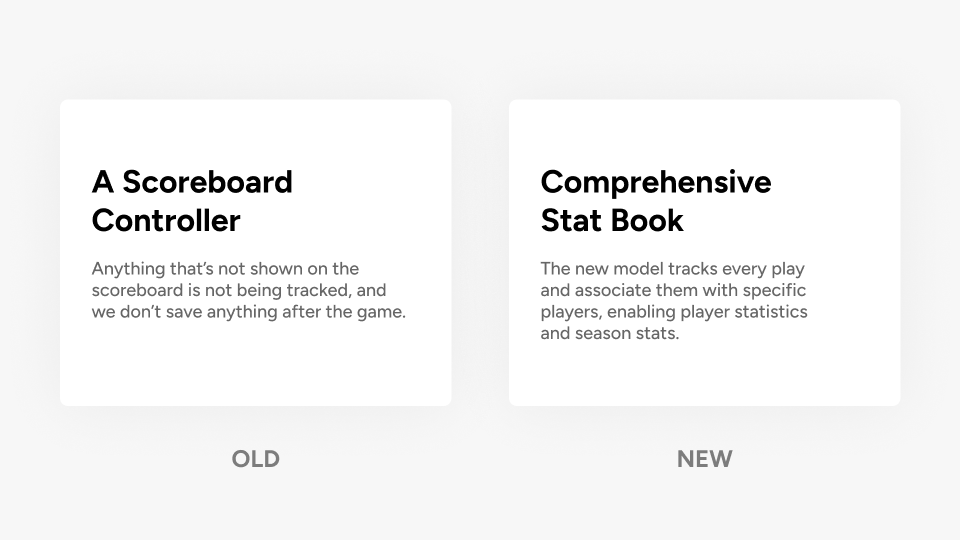
Our old scoring model was basically a digital scoreboard controller. Anything that wasn't shown on the scoreboard didn't get tracked, and nothing was saved after the game. The new model tracked every play and tied each one to a specific player, making player statistics and season stats possible for the first time. Users had been asking for this for a long time, but we'd held off because we weren't convinced it was worth the investment while we were still selling ourselves as a simple livestreaming solution.
The simplest approach would have been to swap the model and tack on a stats section. Instead, we asked what else this new capability could make possible.
Three problems, one opportunity
If you want anyone in the company to come up with ideas, you're going to have to deal with those ideas arriving outside the product function. Rather than treating this as a service request from engineering, I organized a product workshop and pulled together three existing problems we could potentially solve with this new capability.
Problem 1: Adoption problem
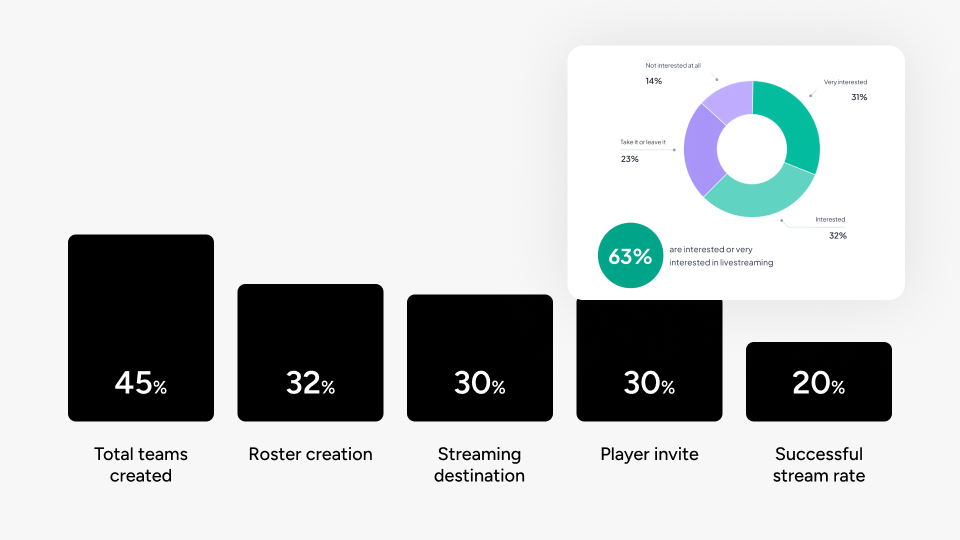
A year after the onboarding redesign, we'd reduced friction at each step, but the overall funnel shape hadn't changed. There was a hard plateau separating committed teams from those who were just poking around. Industry research from Native Frame backed this up: 63% of youth sports teams said they were interested in livestreaming, but only 22% had actually done it. There seemed to be a need for something lighter, a way in before the full video commitment.
Problem 2: Journey gap
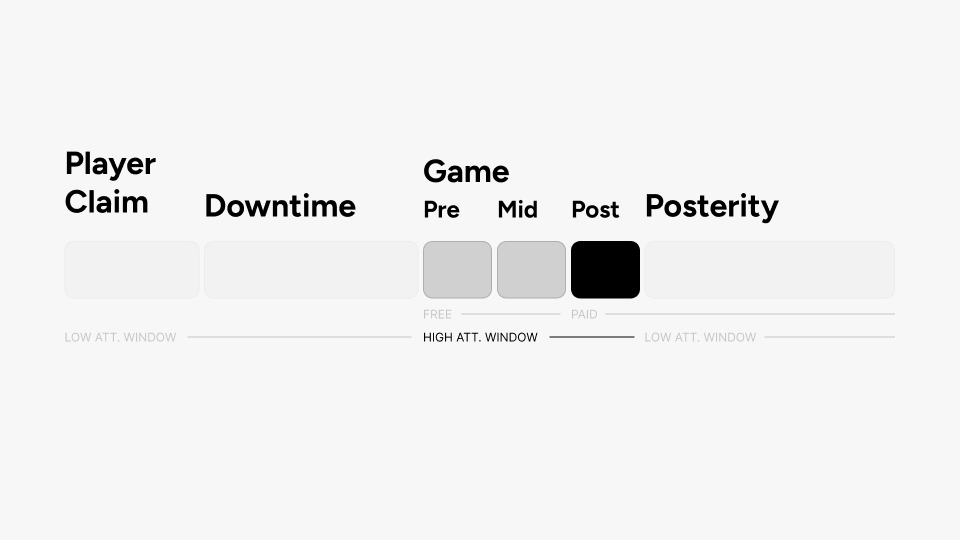
When I mapped out the journey of non-streaming parents (the ones watching, not operating the camera), it became clear that we were wasting the most valuable window. During the game is when we have their full attention. But all we offered them was the livestream itself. Our paid features like clips and highlights only showed up after the game. It felt like a missed opportunity to not do more during the time when people actually care most.
Problem 3: Perception Problem
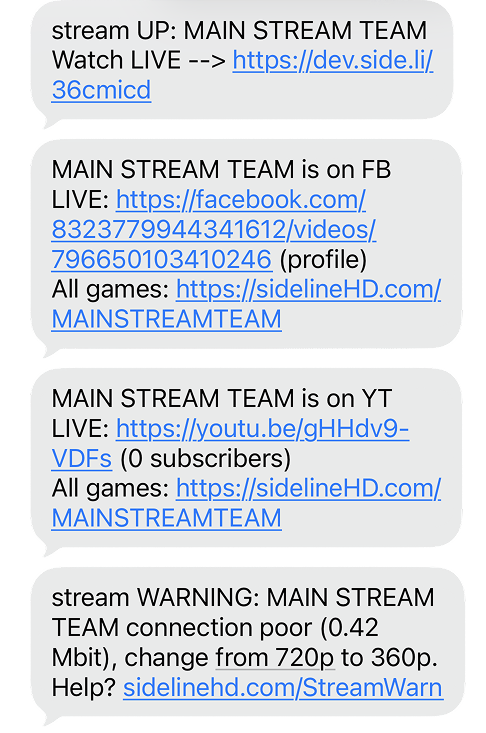
When we asked non-streaming parents what sidelineHD was, they had a hard time answering. To them, we were basically a text message with a link. That's it. They didn't see us as a product, let alone a platform. If we wanted to grow, that had to change.
Create more narrative and touchpoints during the game itself. Build a free stepping stone for teams before they commit to video livestreaming.
It should be about your kid
We'd already seen from a previous A/B test that the likelihood of a parent opening a clip or paying for it goes up 3-4x when it features their child specifically. So this feature should be, above everything, the best way to stay on top of what your kid is doing in the game. Not the team. Your kid.
The remote follower
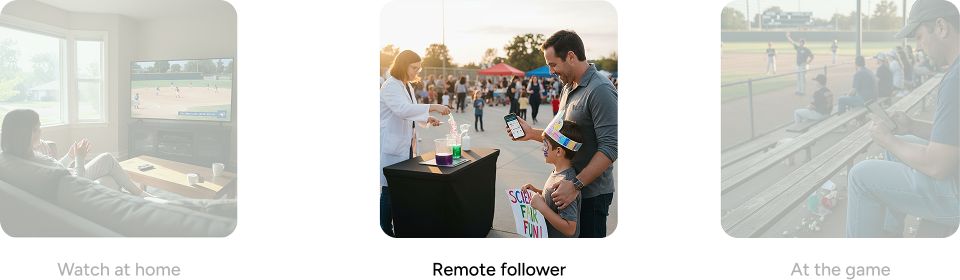
Among non-streaming parents, we drew out three situations: watching the livestream at home on a big screen, following remotely while doing something else, and being physically at the game. The remote follower was the most interesting to us. Picture this: you're at your younger kid's science fair, but your older one is playing a baseball game at the same time. You want to stay on top of what's happening so you can tell your kid "I saw that" later. We were doing nothing for that person.
The solution: Live View
A game-following experience that works without video. Powered entirely by the new scoring data, it gives parents player-specific notifications, AI-generated game summaries, an animated field view that updates in real time, and the option to switch to video whenever they want.
Never miss your kid's moment
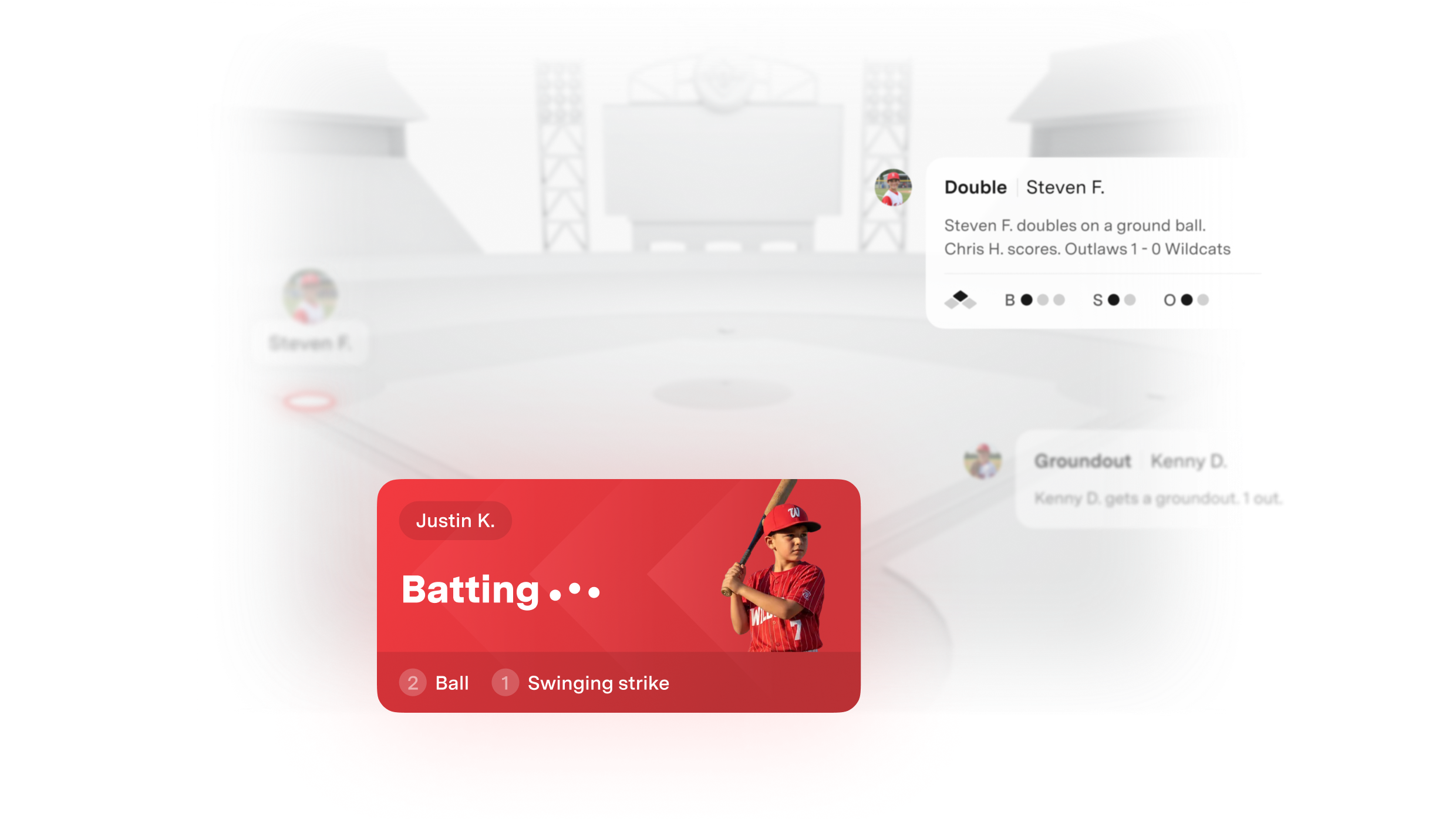
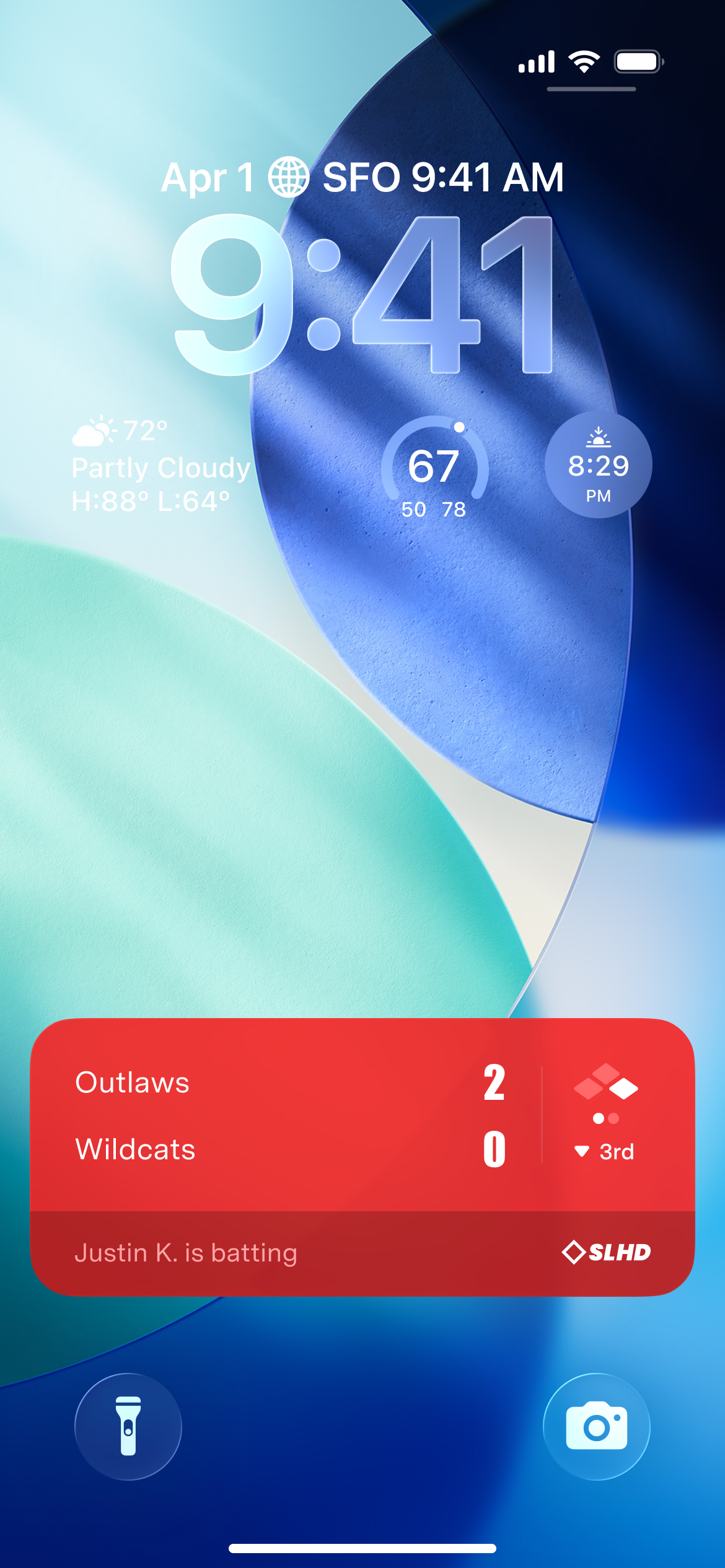
When your child comes up to bat, you get a push notification. Not a generic game update, but a specific alert about your kid. A Live Activity on the lock screen shows the score, the inning, and what your child is doing right now.
Catch up to what's been going on
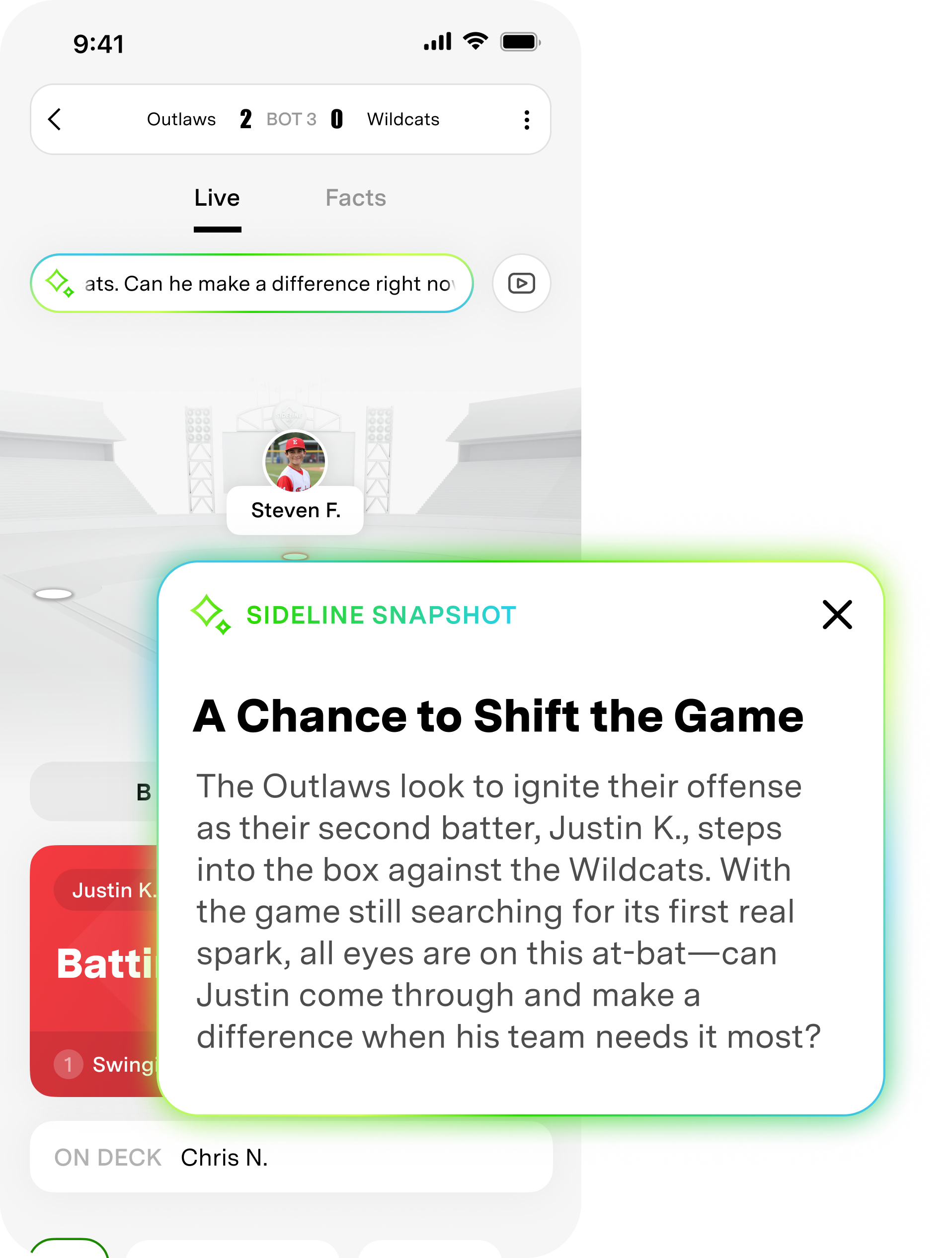
When you open the app, you're not dropped into the middle of a game with no idea what's going on. A feature called Sideline Snapshot takes the scoring data and feeds it into an LLM to generate a brief narrative of the game so far. You get the stakes immediately and can jump in without scrolling through a play log.
Follow the moment in real time
The core of the experience is an animated field view. Player tokens move between bases, pitch outcomes animate on screen, and a live action card shows the current batter with their status updating as the at-bat unfolds. I was deliberate about animation and timing here. The whole point is that it should feel like something is always happening, so you get the tension of a live game even without watching video.
Track back what happened
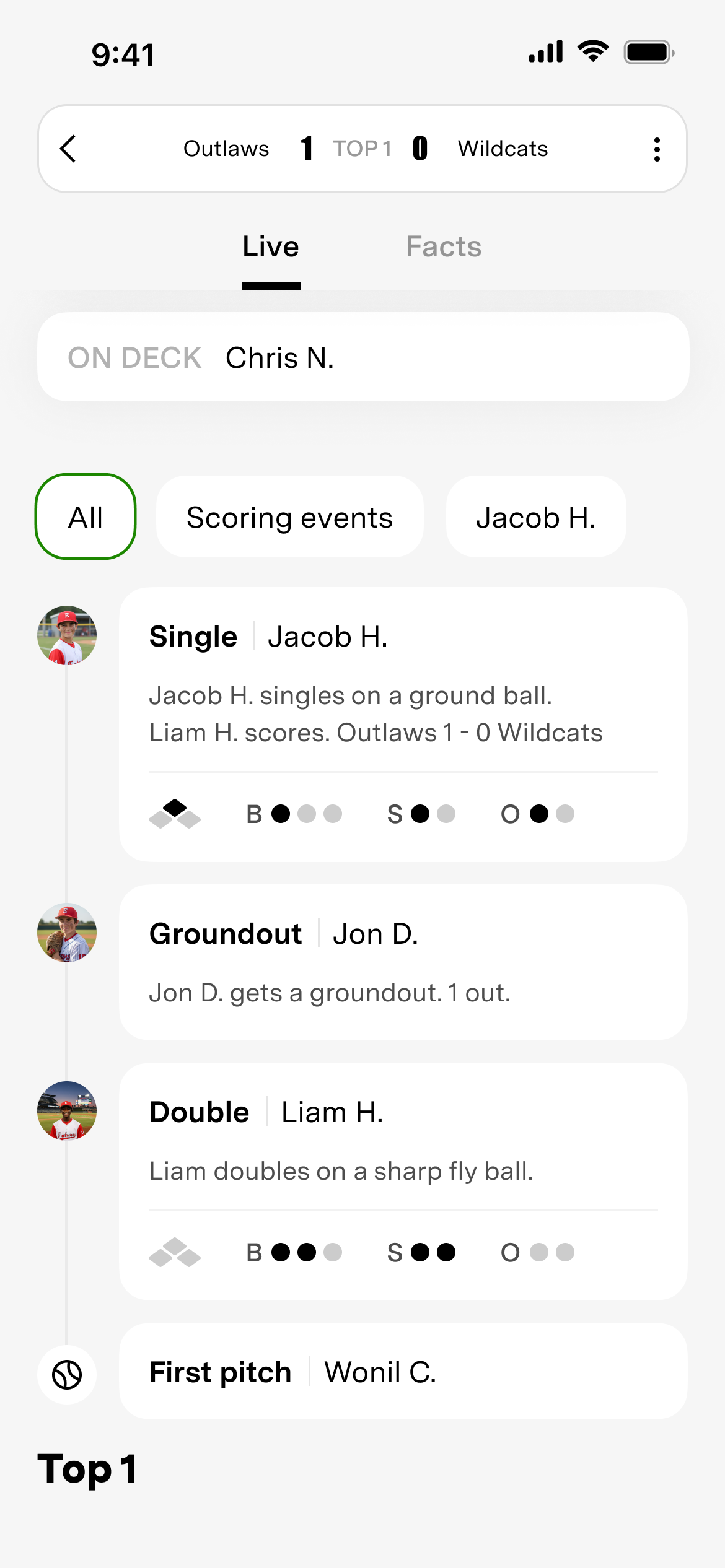
Scrolling down shows a chronological play-by-play feed. You can filter by scoring events or by a specific player. Each entry includes the play context, the outcome, and the game situation at that moment (count, outs, runners on base). It's there so you can check you didn't miss anything about your kid.
Switch to video anytime
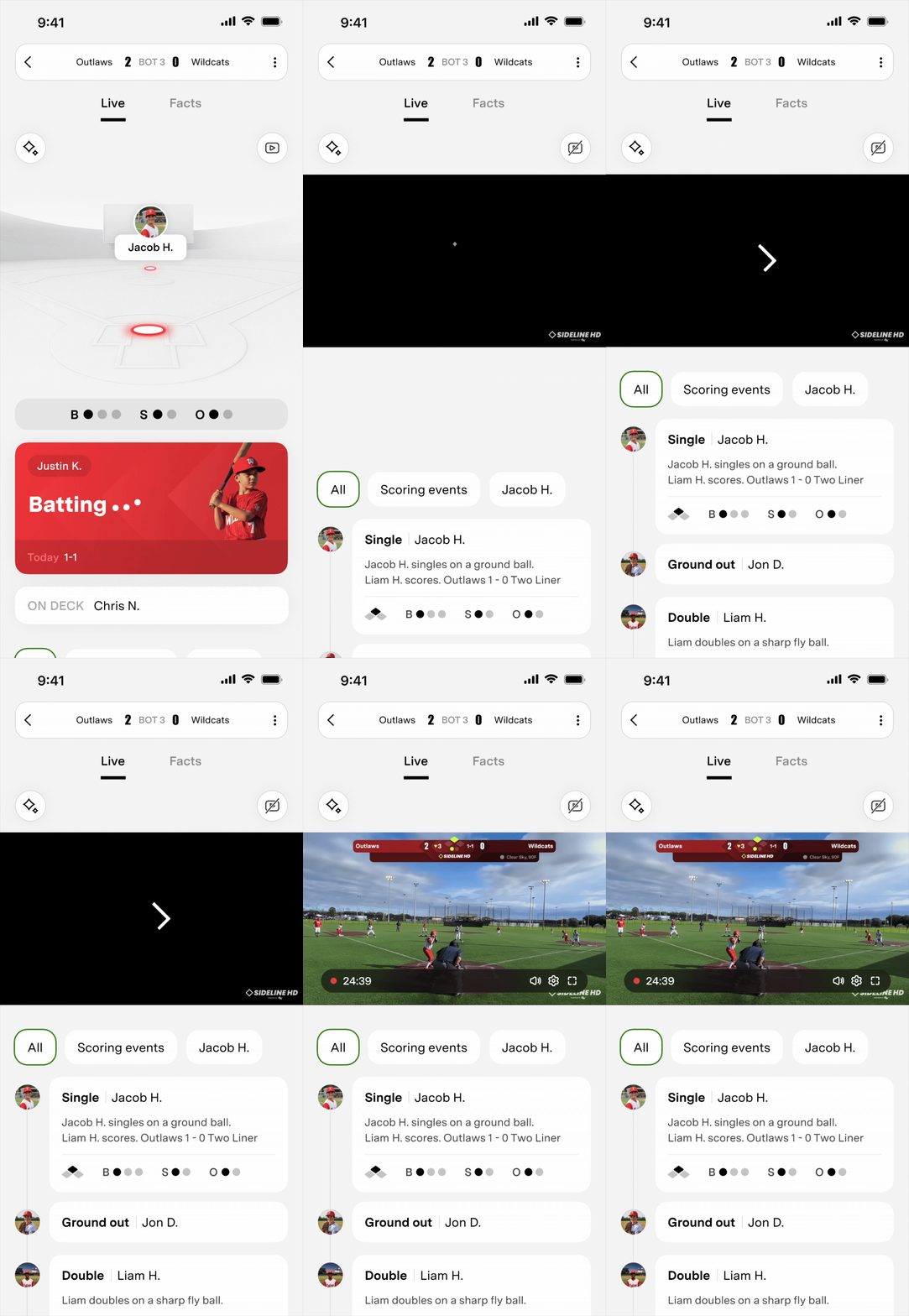
If a video livestream is running, you can toggle between Live View and full video. Use the lightweight view to loosely track the game while you're busy, then switch to video when something big is happening.
Stress-testing with real data
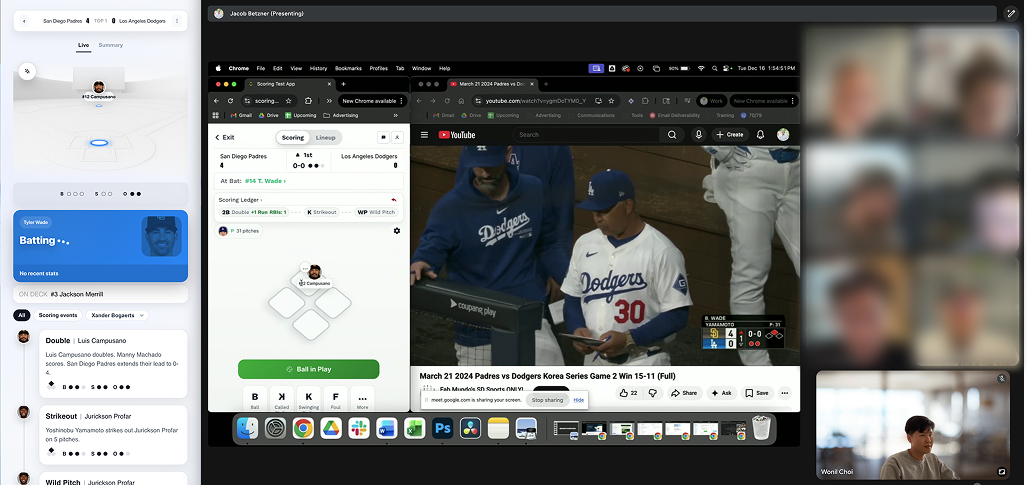
Live View is a one-to-one reflection of an actual baseball game, so the number of possible states is massive. You can brainstorm all day and still not cover them. Our PM built a coded prototype that I guided, and we injected real scoring data from both our platform and MLB's API to stress-test it. That's how we caught things we wouldn't have found any other way. For example, there was no way to show what happened to a base runner who got thrown out. We ended up adding contextual text to the counter bar for base-running events like stolen bases and pickoffs.
Designing for millions of states
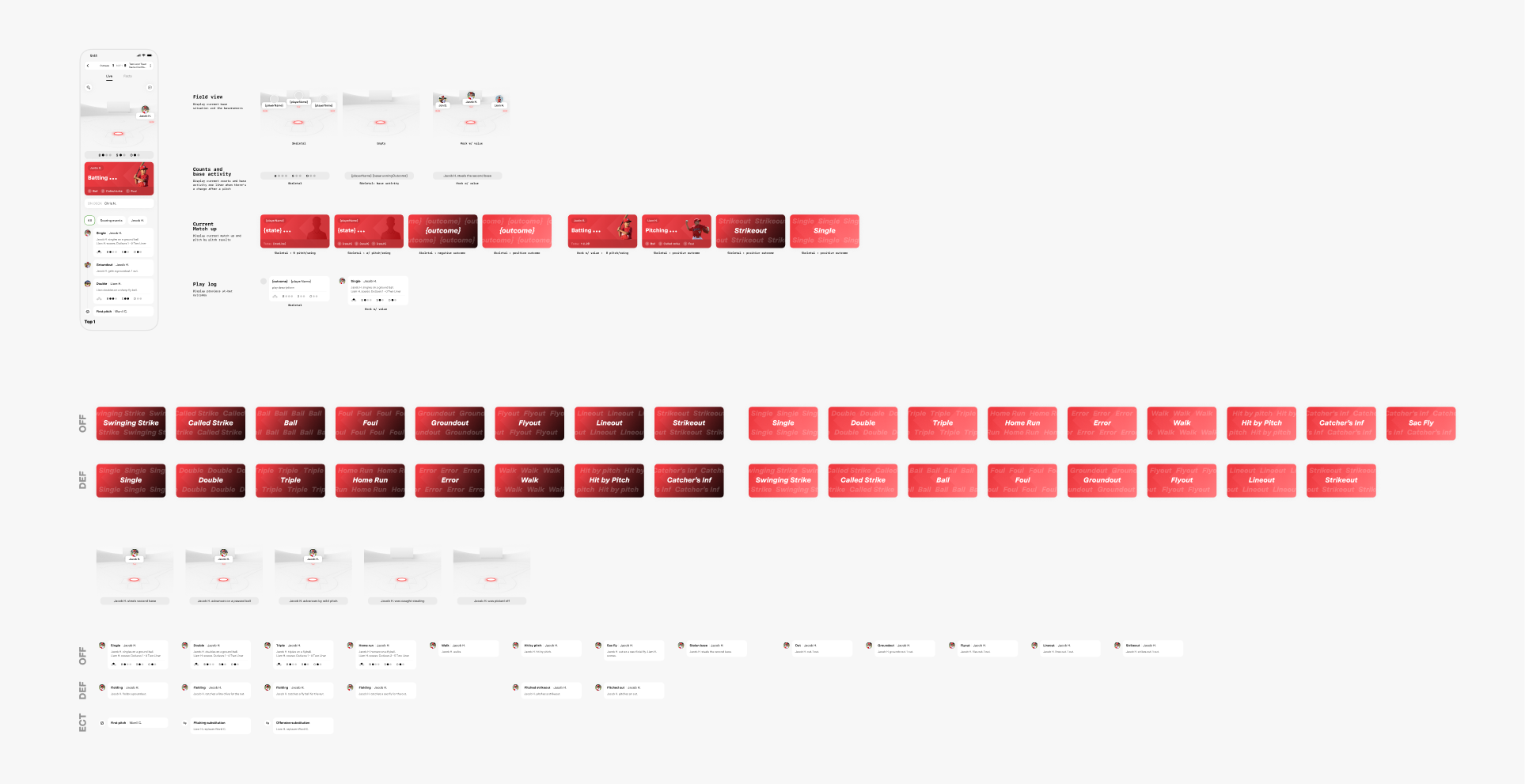
Every part of the screen reacts to different types of scoring activity, and they're often independent of each other. So instead of trying to define the whole screen at once, I broke the acceptance criteria down by component: the top game bar, the field view, the strike/ball/out counter, the live action card, and the play-by-play feed. Each section got its own behavioral spec. That way no one had to hold the entire system in their head to build their piece of it.
Measuring success
We set up two tiers of metrics. For the feature itself: notification open rate, session length during games, and whether users come back game after game. For the bigger picture: whether Live View users eventually start video livestreaming, and whether non-streaming parents download the app, which would tell us we're starting to be seen as a platform.